Data quality
The Data Quality suite provides continuous monitoring and automated testing across your data models and sources. Define rule-based assertions, schedule continuous runs, enforce publication gates, and review AI-driven anomaly suggestions to ensure dashboards and reports are built on trustworthy data.
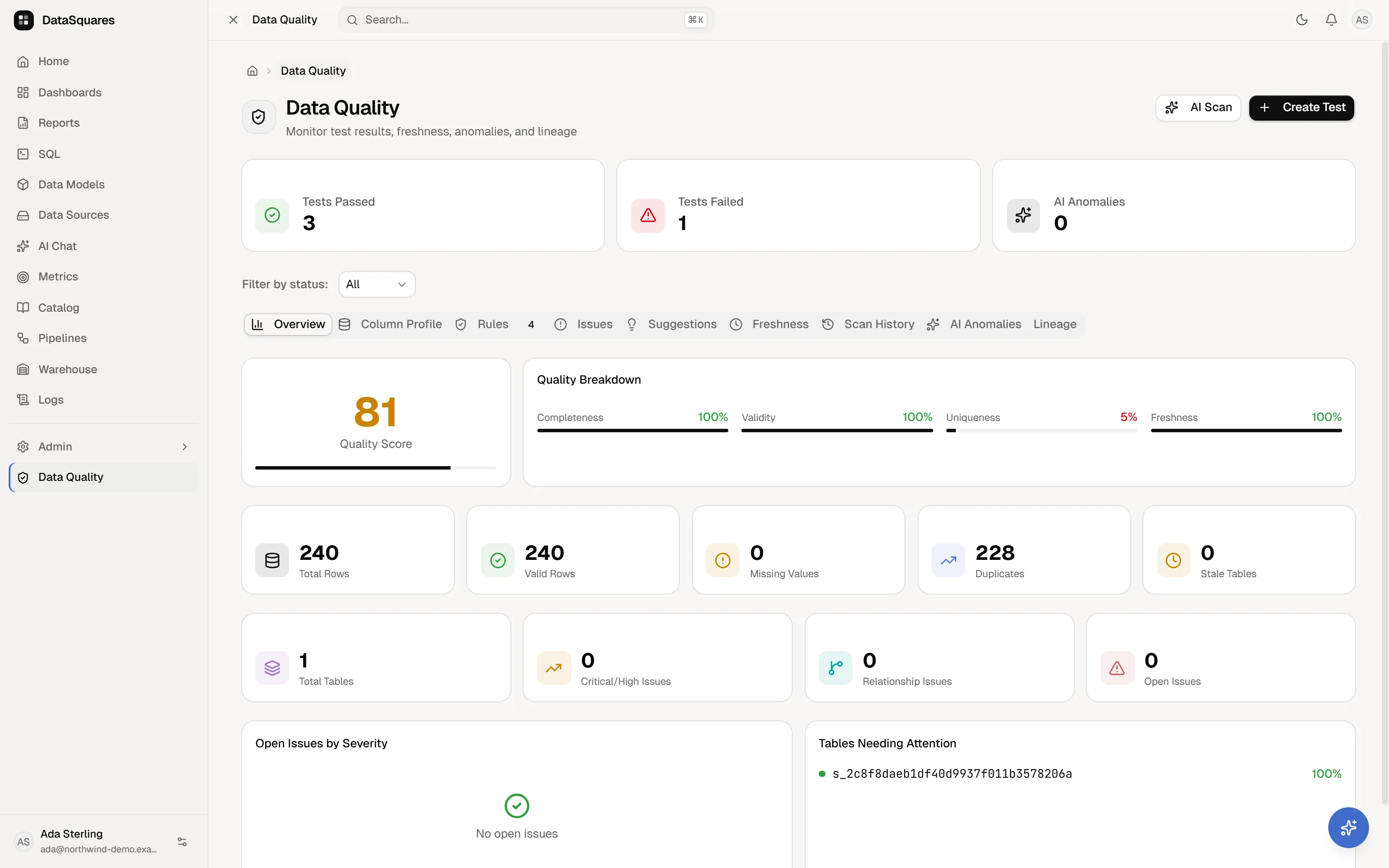
Data quality test rules
Section titled “Data quality test rules”Click Create Test to define assertion rules against model tables or specific columns. DataSquares supports 14 built-in rule types:
| Test Rule | Scope | What it asserts |
|---|---|---|
| Not null | Column | Verifies a column contains no (or bounded) missing/NULL values. |
| Unique | Column | Asserts distinct values across all rows — ideal for primary key validation. |
| Duplicate detection | Table / Multi-column | Checks for duplicate rows across a specified set of columns. |
| Foreign key | Column | Validates referential integrity against a target reference table and column. |
| Value range | Column | Asserts numeric values stay within configured min and max boundaries. |
| No negative | Column | Verifies numeric values are greater than or equal to zero. |
| Row count | Table | Asserts that the table size falls within expected minRows and maxRows thresholds. |
| Date range | Column | Asserts date values fall within a specific chronological window (minDate to maxDate). |
| No future date | Column | Validates that dates are on or before the current day — detecting faulty ETL or data entry errors. |
| Email format | Column | Asserts strings conform to valid RFC email address syntax. |
| Phone format | Column | Asserts phone numbers match standard international/local formatting. |
| Regex pattern | Column | Validates strings against custom regex patterns you supply. |
| Allowed values | Column | Asserts column entries belong to an explicit whitelist of allowed values. |
| Custom SQL | Model / Source | Executes arbitrary validation queries (e.g. multi-table consistency checks, custom business rules). |
Severity levels
Section titled “Severity levels”Assign severity when configuring each test:
Critical— Enforces publication gating on downstream models and dashboards.High/Medium/Low/Info— Surfaces warnings and alerts without blocking publishes.
Scheduling & execution
Section titled “Scheduling & execution”- On-demand execution: Run individual tests or click Run All in the Rules tab. Results report
PASS,WARN,FAIL, orERRORalong with runtime telemetry and failure messages. - Scheduled runs: Enable CRON-based schedules (e.g.
0 0 * * *for nightly execution). - Run on sync: Trigger test execution automatically whenever data source synchronization occurs.
Publication quality gates (Critical checks)
Section titled “Publication quality gates (Critical checks)”When publishing a dashboard, report, or data model, DataSquares evaluates active critical data quality tests:
- Automatic hold: If any critical test bound to the underlying models or sources is currently failing or in an error state, publication is held.
- Continuous availability: The previously published version continues serving end users without interruption.
- Fail-safe rules:
- Only tests marked with
Criticalseverity gate publication. - Tests that encounter execution errors are treated as failures to prevent publishing unverified data.
- Newly added tests that have not yet run do not retroactively freeze publication.
- Only tests marked with
Audit-logged overrides
Section titled “Audit-logged overrides”Authorized administrators can override a held publication:
- Overriding requires a mandatory reason explaining why the release is proceeding despite failing checks.
- Overrides are permanently recorded in the Audit log, documenting the author, reason, and list of failing tests.
Monitoring views & tabs
Section titled “Monitoring views & tabs”The Data Quality workspace (/data-quality) provides dedicated monitoring tabs:
- Overview: High-level health score, passed/failed KPI cards, and quality dimension breakdowns (Completeness, Validity, Uniqueness, Freshness).
- Column Profile: Comprehensive column-level statistical profiling (distributions, null ratios, distinct counts).
- Rules: Full registry of configured quality tests (
/api/data-quality/tests) with inline run, edit, delete, and bulk execution controls. - Issues: Consolidated view of all active test failures, anomalies, and schema discrepancies (
/api/data-quality/issues) with resolution note tracking. - Suggestions: AI-generated quality recommendations, index improvements, and relationship suggestions with one-click Apply or Dismiss.
- Freshness: SLA-based table freshness monitoring (
/api/data-quality/freshness) to identify stale or delayed datasets. - Scan History: Historical log of test runs, execution durations, and score trends.
- AI Anomalies: Outliers and distribution shifts detected by autonomous machine learning scans.
- Relationship Health: Structural relationship integrity checks across model dependencies.
AI anomaly scan
Section titled “AI anomaly scan”Click AI Scan in the top header to initiate an automated diagnostic scan (POST /api/data-quality/scan):
- Analyzes column distributions, schema shifts, and referential relationships across workspace models.
- Surfaces unexpected data drift, outliers, and proposed new relationships directly in the Suggestions and AI Anomalies tabs for one-click review, acceptance, or dismissal.
Related
Section titled “Related”- Data models & relationships — defining tables and semantic relationships.
- Joins & fan-out — ensuring metric accuracy across table joins.
- Audit log — tracking publication quality gate overrides and system events.