Email health and suppression
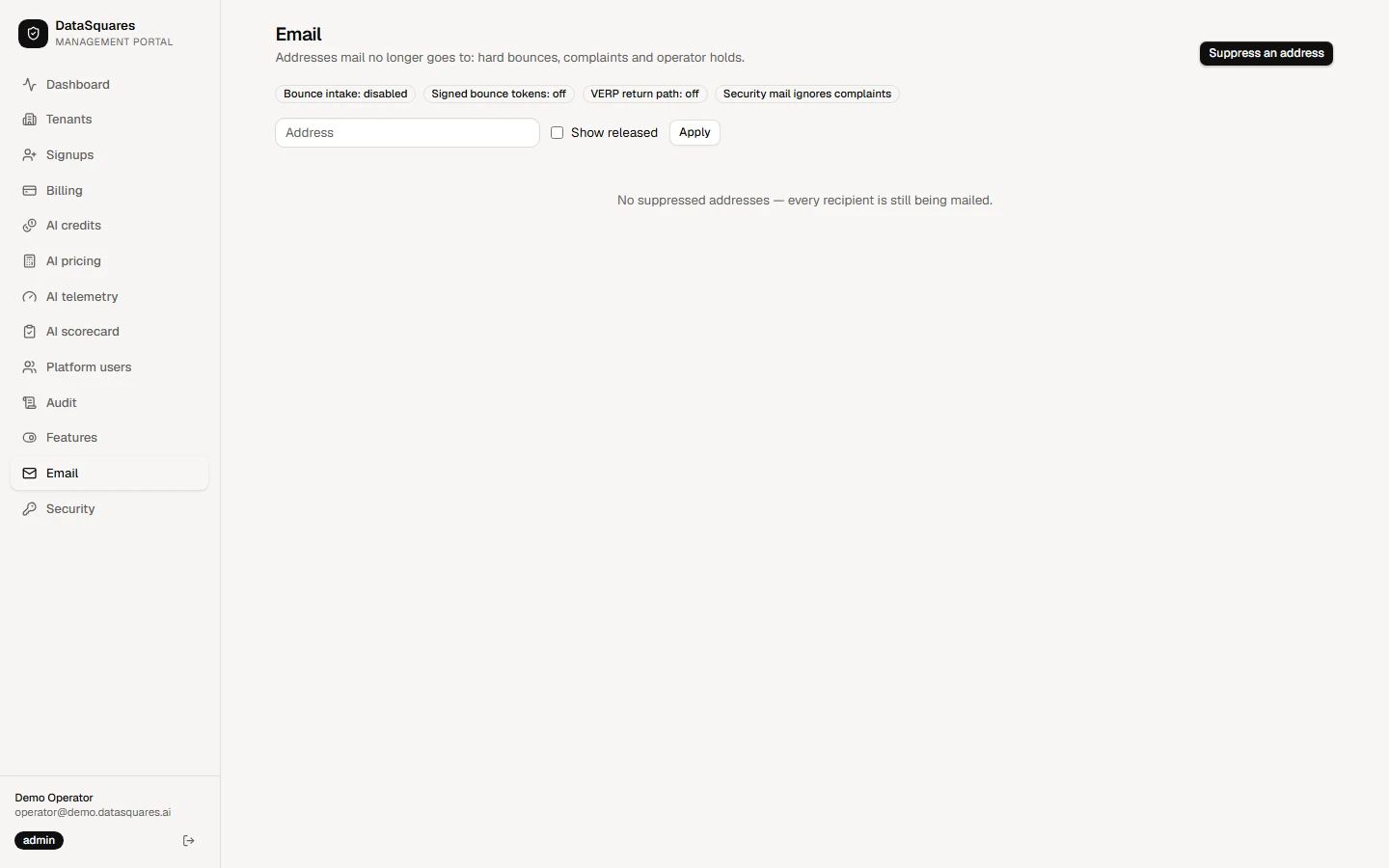
The Email section lists the addresses that DataSquares no longer sends mail to: hard bounces, complaints and holds placed by an operator. A suppressed address is skipped for every tenant, and each skipped send is counted. Platform admins can suppress an address by hand and release it again; both actions are recorded in the portal audit log.
Choose Email in the sidebar. The page lists the addresses that mail no longer goes to (hard bounces, complaints and operator holds), how many sends were skipped for each, and shows whether bounce intake is on. Use Search addresses to find one.
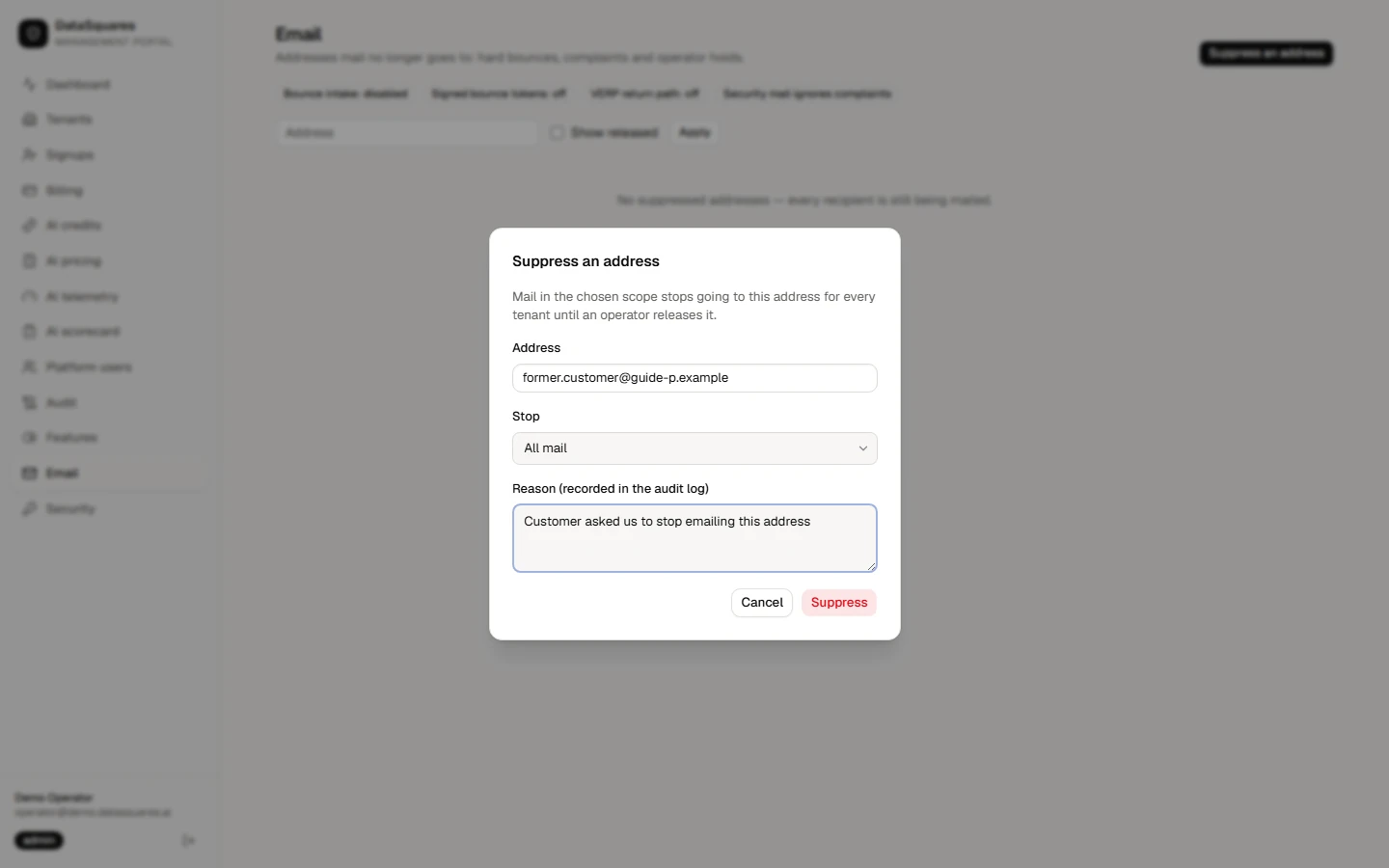
Choose Suppress an address. Enter the address, choose which mail to stop (all mail or only some categories) and give a reason, which is recorded in the audit log. Mail in that scope stops for every tenant until an operator releases it.
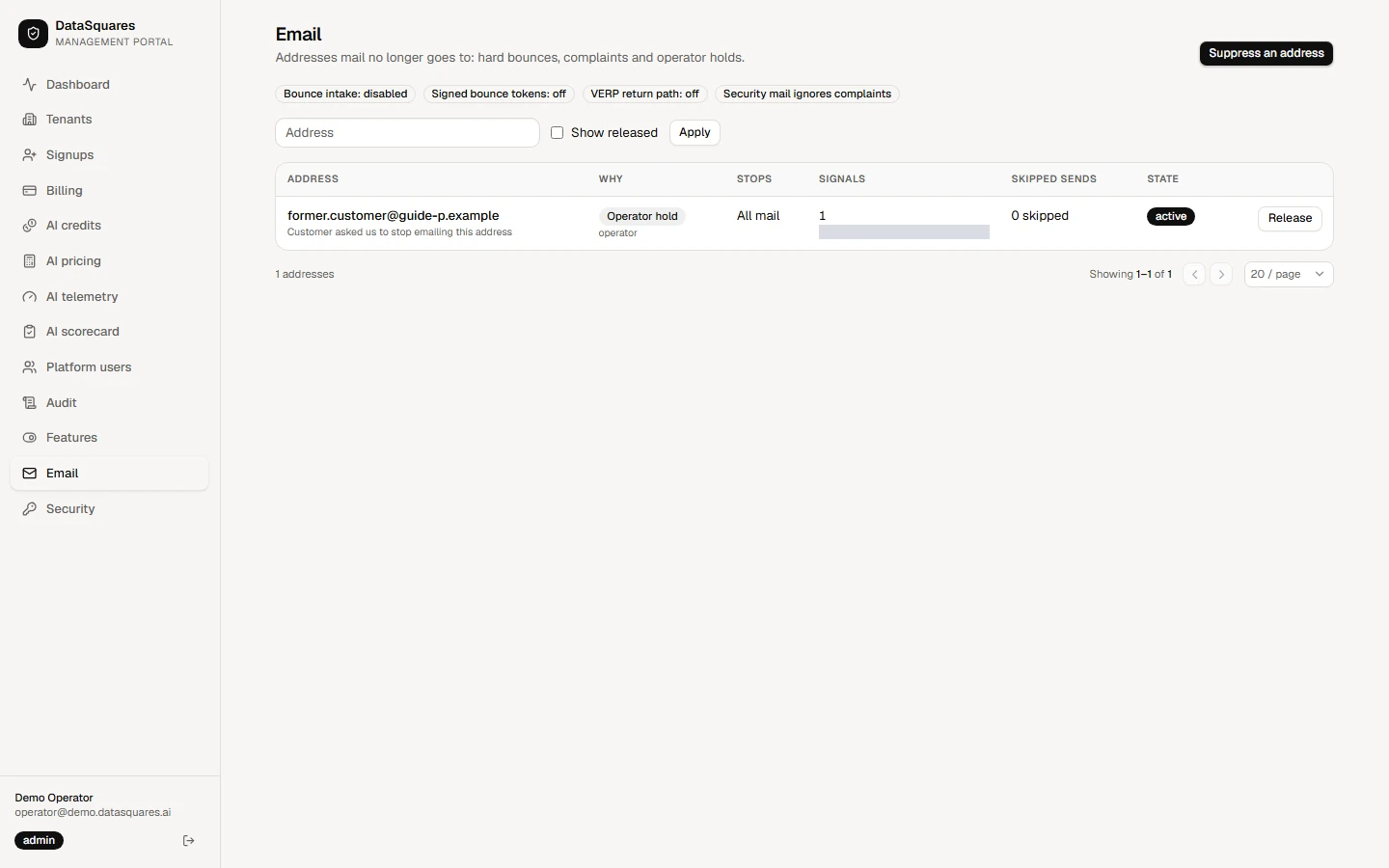
The address is listed as active with the reason Operator hold and a count of skipped sends.
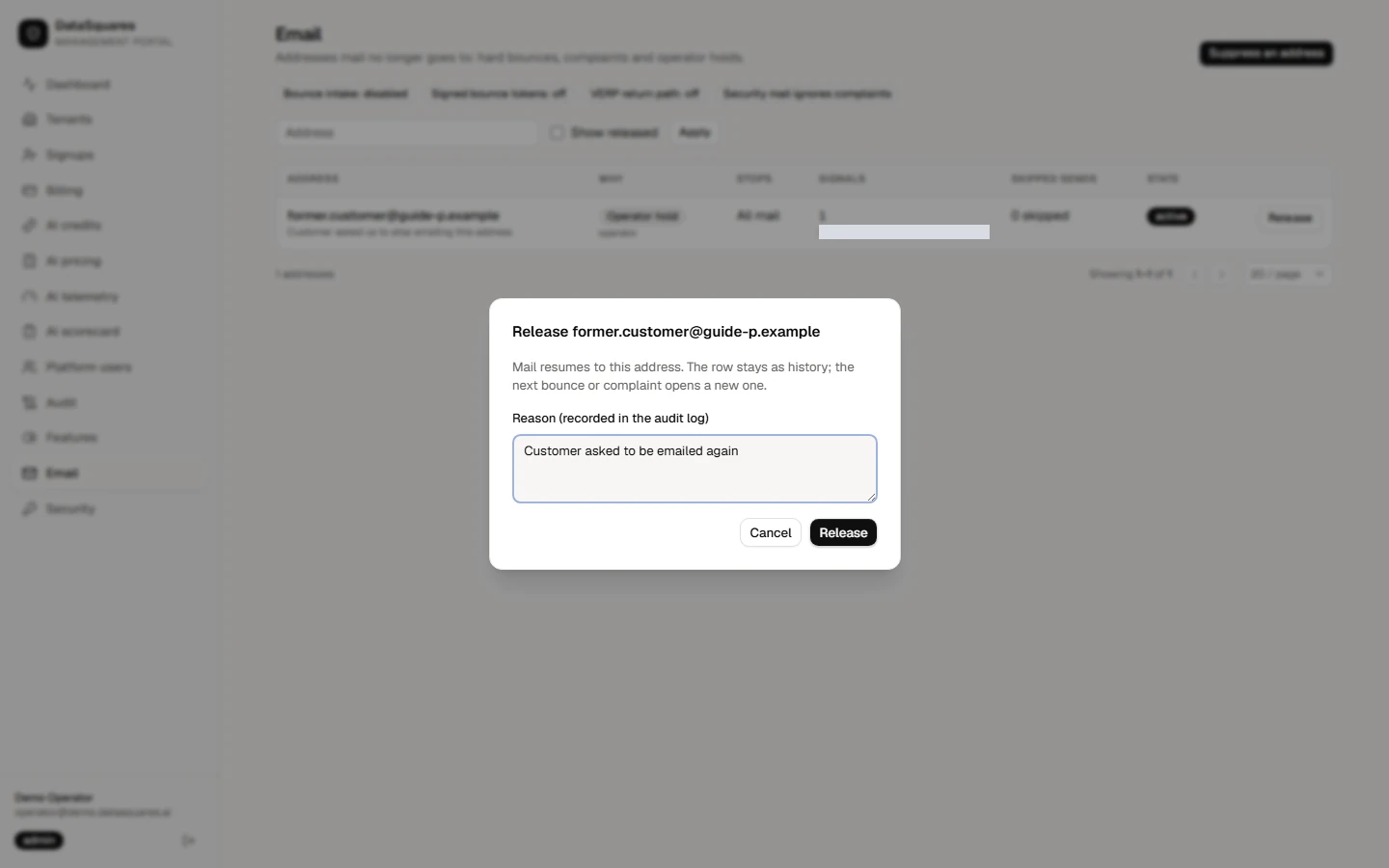
Release lifts the hold and asks for a reason. Mail resumes; the row stays as history, and a later bounce or complaint opens a new one.