Platform users
Only a platform admin can add or remove operators and reset their two-factor.
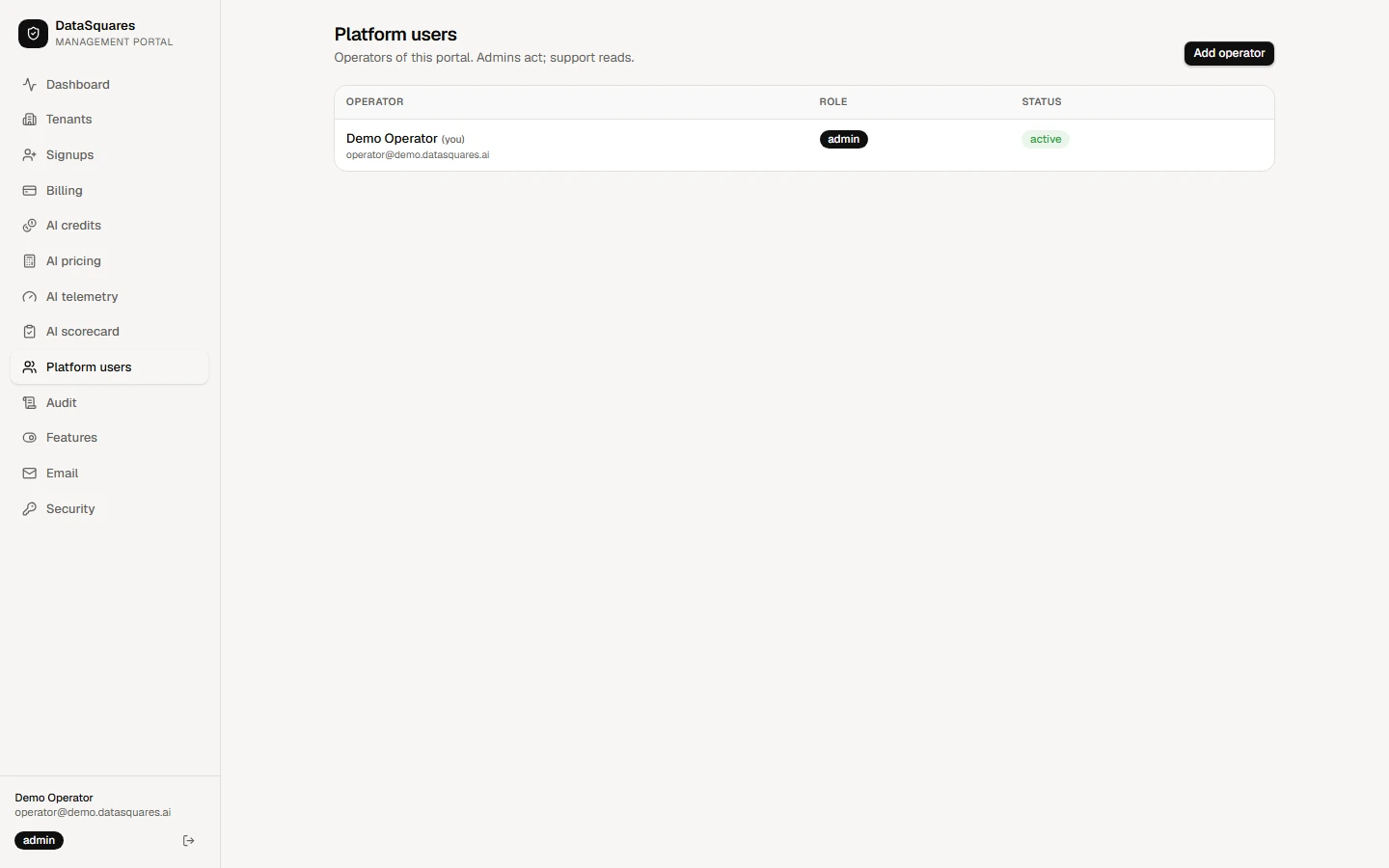
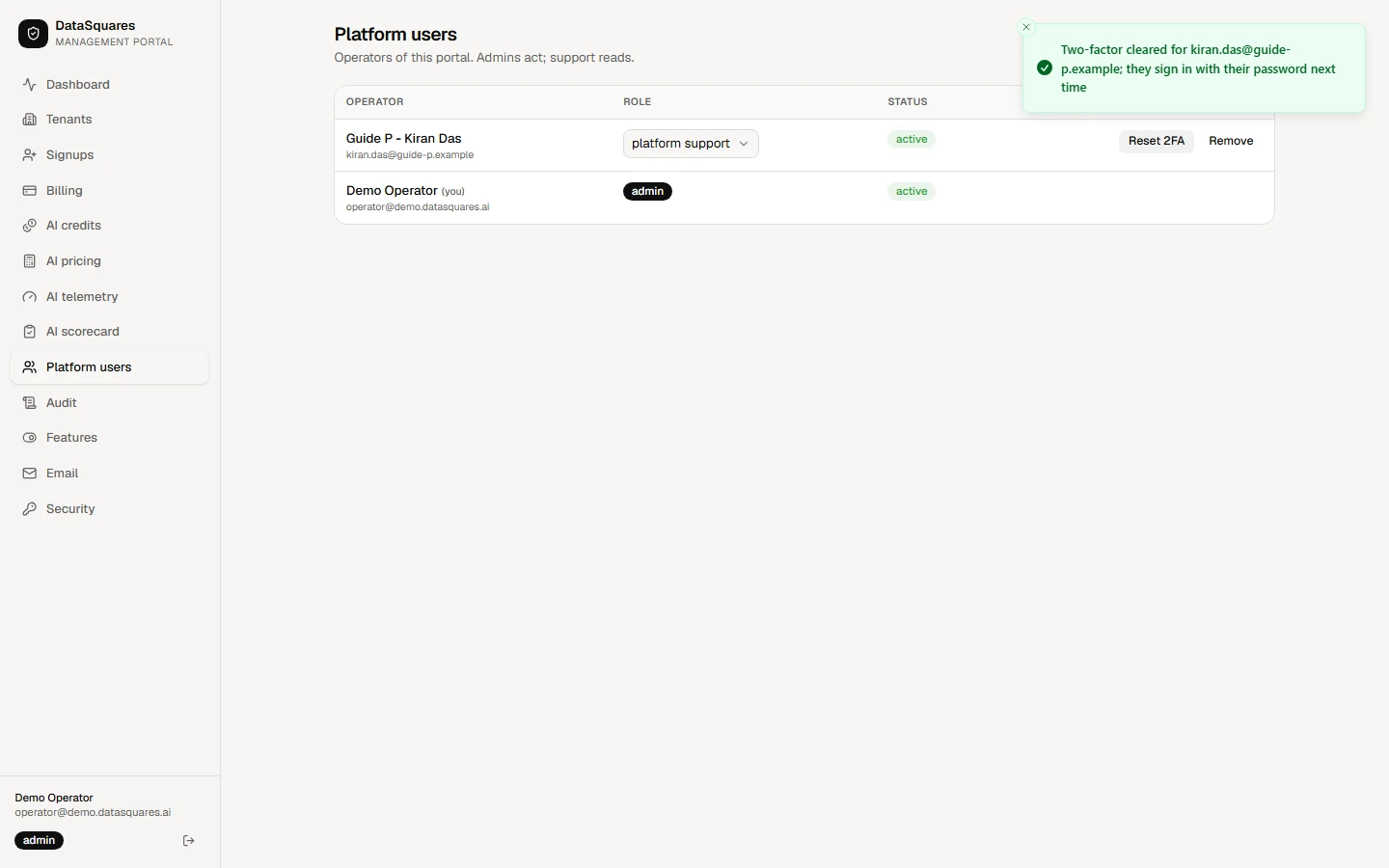
Choose Platform users in the sidebar. It lists everyone who can sign in to this portal, with their role and status. Admins can act; support operators can only read.
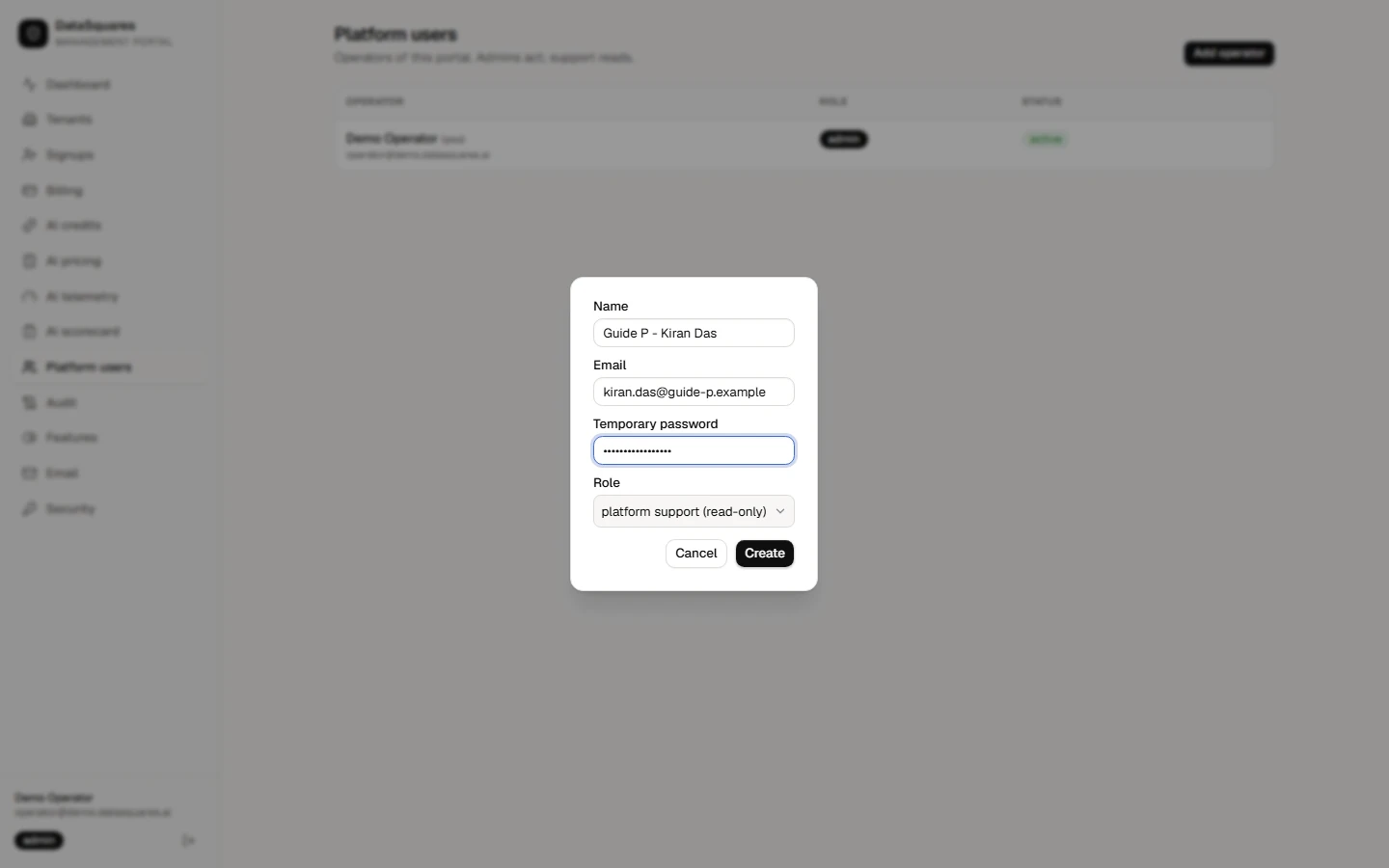
Choose Add operator. Enter a name and email, a temporary password to hand over, and a role: platform support (read-only) or platform admin.
The new operator appears in the list. Use the role menu on their row to change their role, at any time.
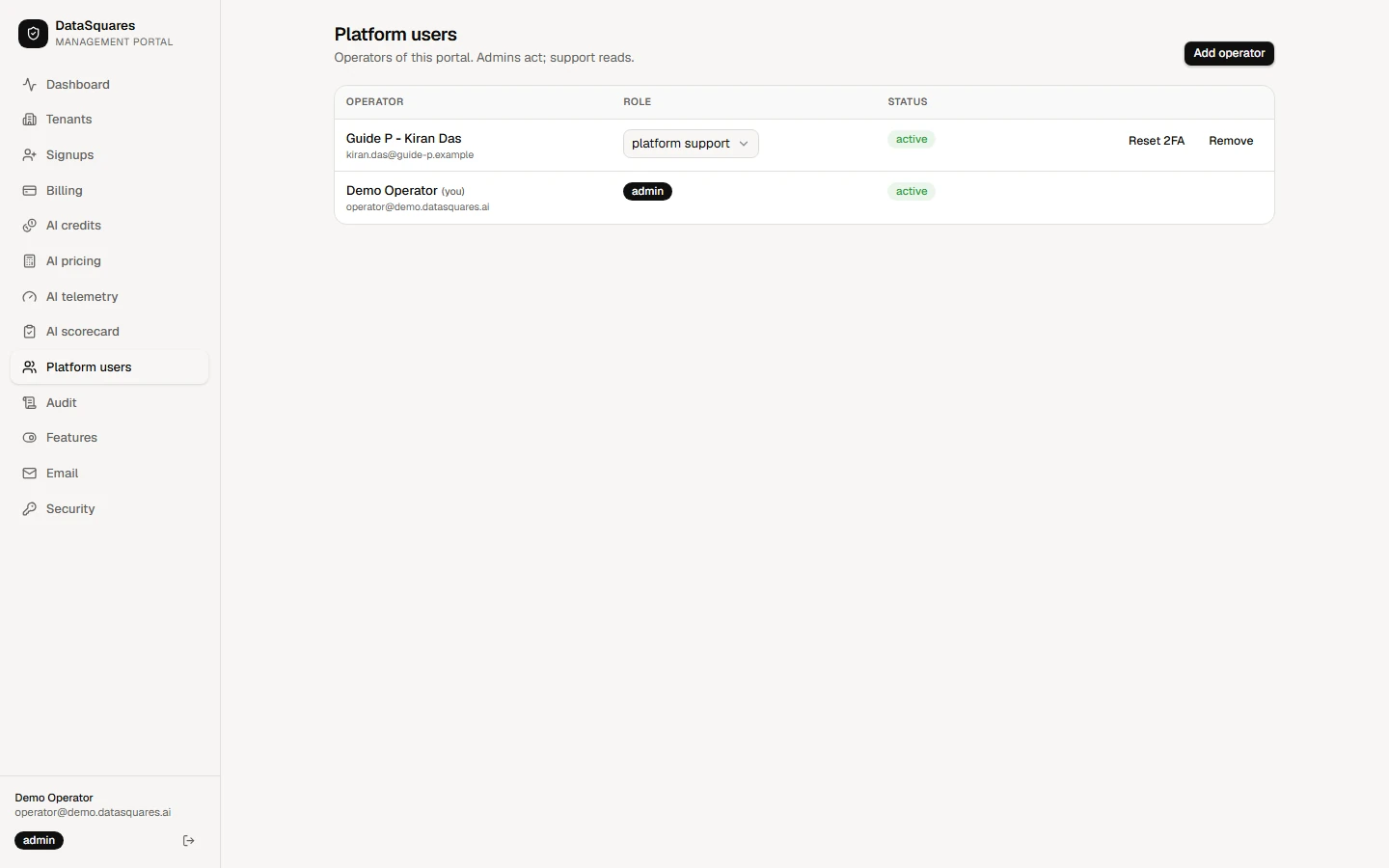
Reset 2FA clears an operator's two-factor setup, for example when they lose their phone. They sign in with their password next time and enrol again.
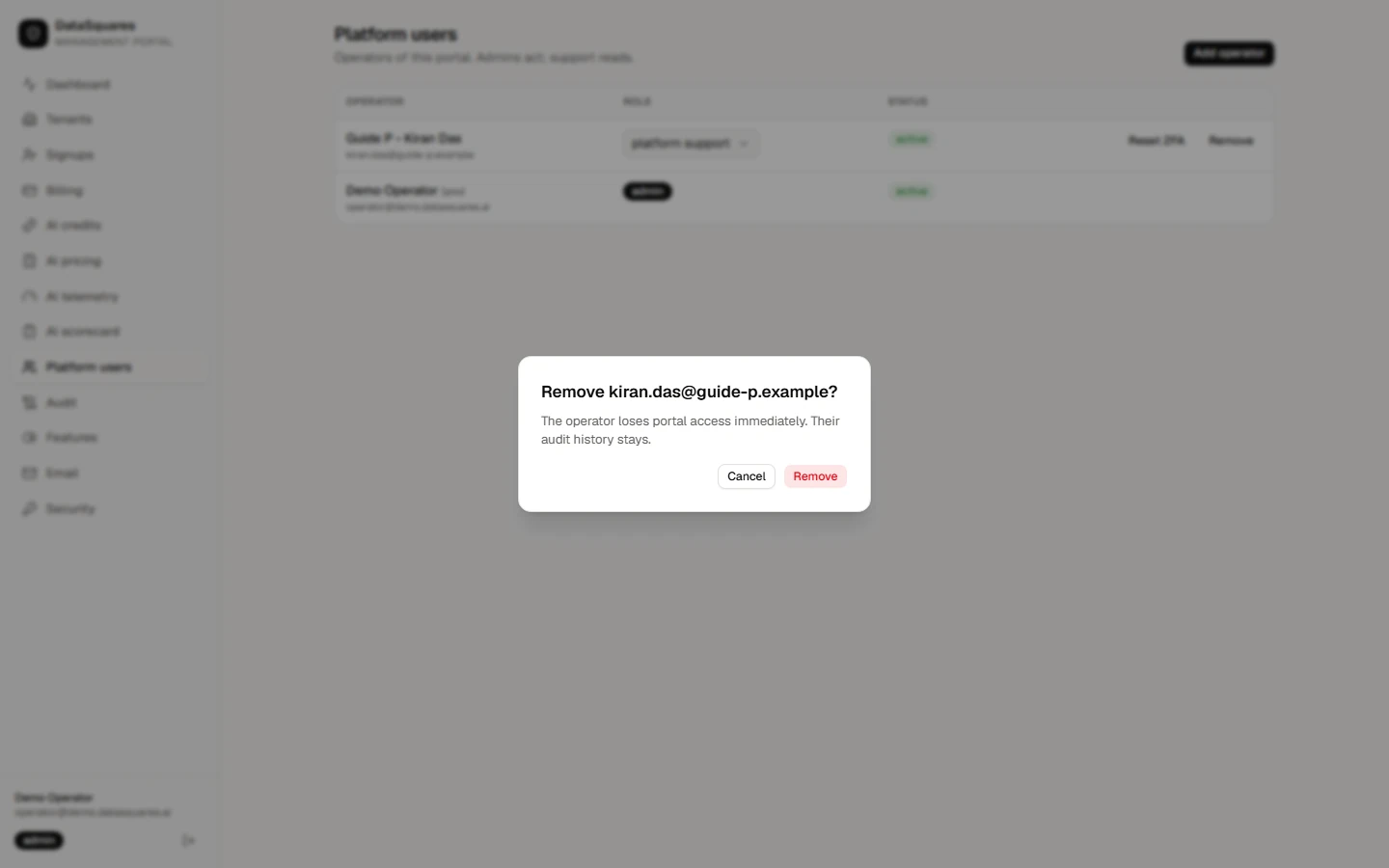
Remove takes portal access away immediately. Their audit history stays.