Model Data
The AI scope
The AI scope of a data model is the tables and fields the DataSquares AI assistant may use on it. Everything is in scope until you leave it out, so a table a schema sync adds is in scope too. Leave out what the assistant should not read: staging and raw copies, archives and backups, near-duplicate tables, or tables you would rather keep out of AI answers.
Set the AI scope
Section titled “Set the AI scope”You need permission to edit data models.
- Open the model in the Data model editor.
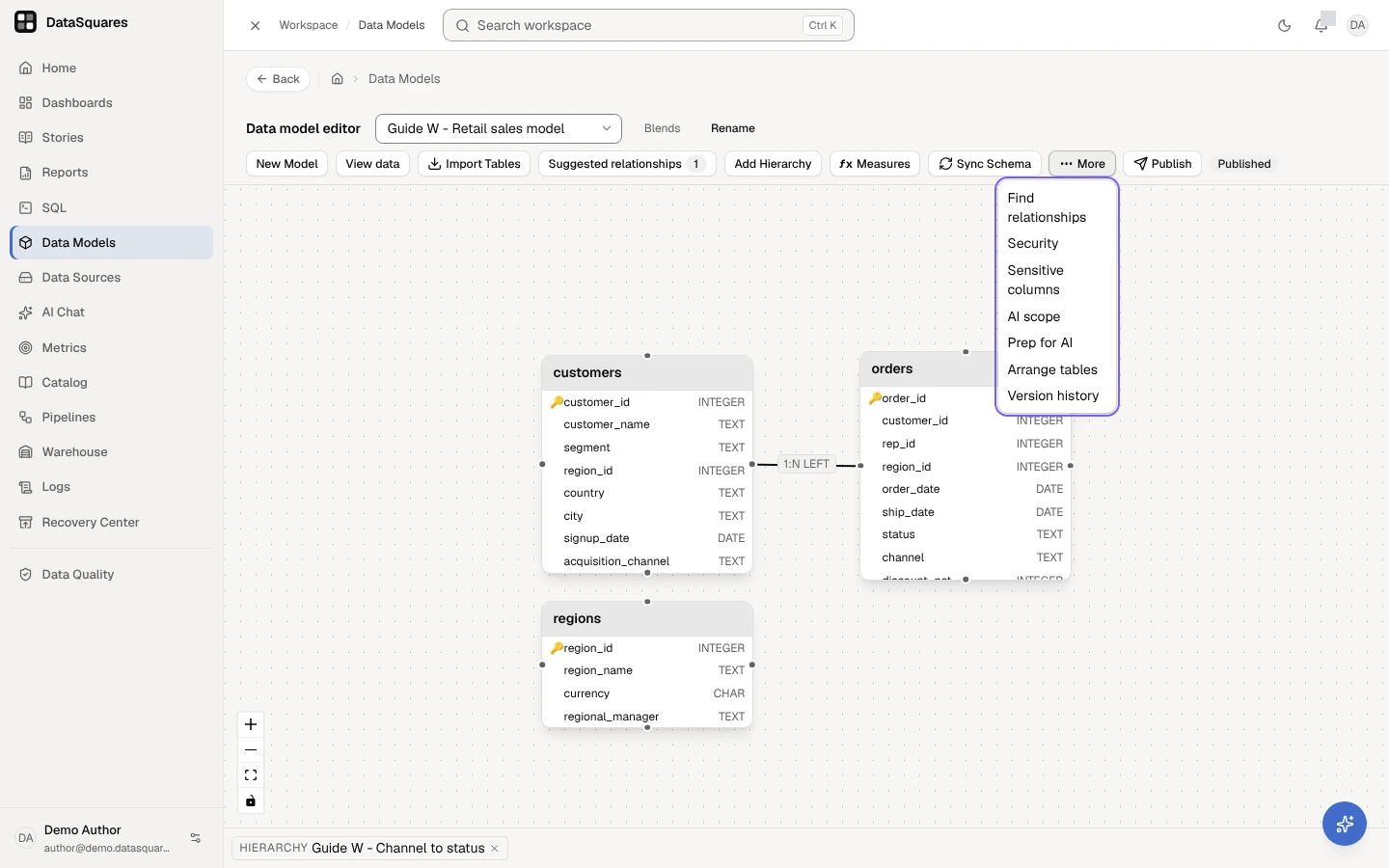
- Choose More → AI scope.
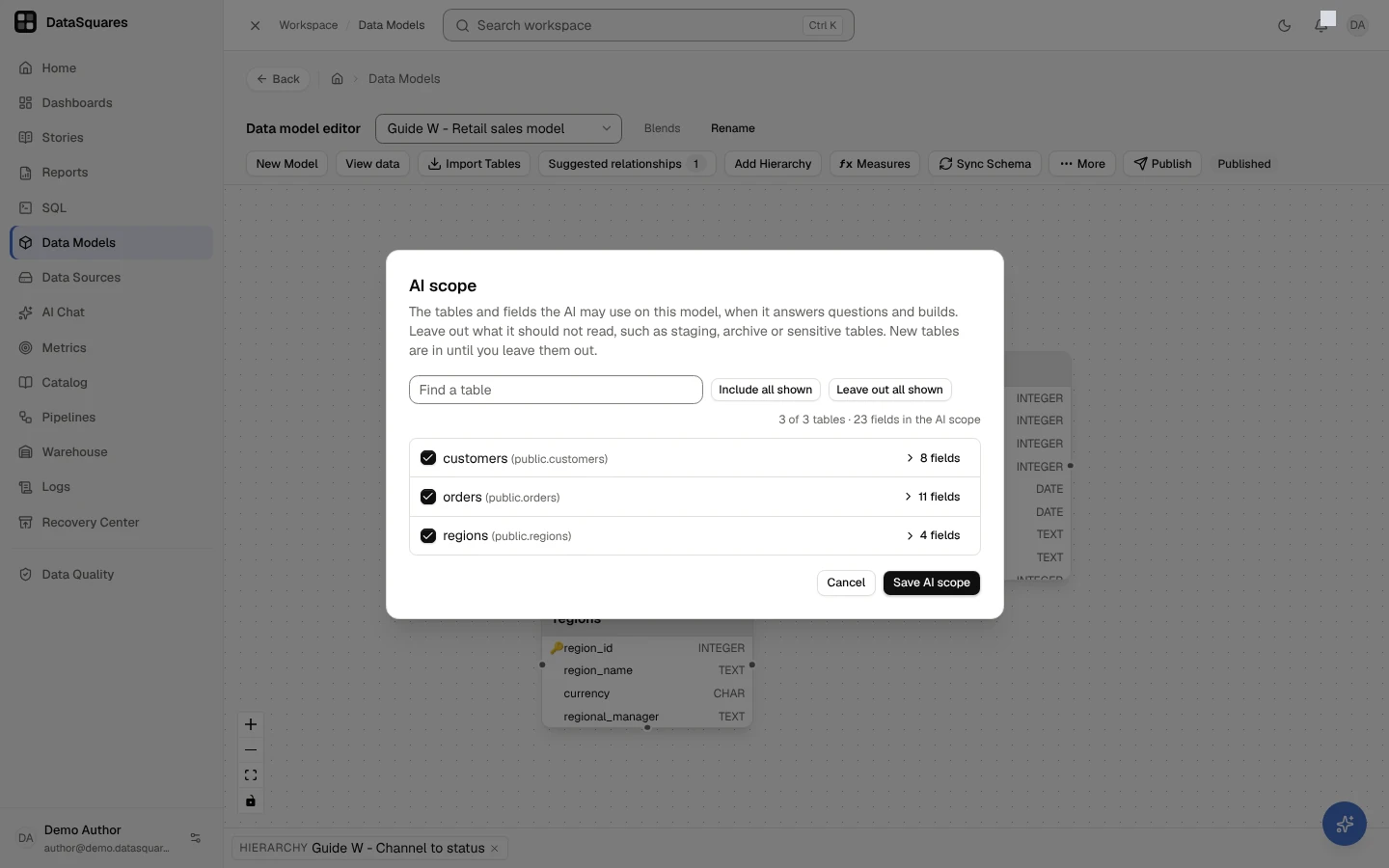
- Untick a table to leave it out. Choose its field count (12 fields) to open its fields, and untick a field to leave just that field out. The top of the dialog counts what is in: N of M tables · K fields in the AI scope. A field marked Hidden in the model is never used by the AI; one marked Labelled is used only for people who may read labelled values.
- On a large model, type in Find a table to narrow the list, then Leave out all shown or Include all shown.
- Choose Save AI scope. The message says AI scope saved. The AI follows within a few minutes., and the audit log records the change.
The assistant follows within a few minutes. The dialog marks Labelled fields (only people who may read labelled values see them, in AI answers too) and Hidden fields, which the assistant never uses, in scope or not.
In the data model editor, More holds AI scope and Prep for AI, beside Find relationships, Security, Sensitive columns, Arrange tables and Version history.
AI scope lists the model’s tables, each with its fields. Untick a table or a field to leave it out of what the AI may use, then Save AI scope.
What changes
Section titled “What changes”For a table or field outside the AI scope:
- The assistant doesn’t see it when it reads the model, searches its tables and fields or gathers the fields for a calculation, and AI search never offers it.
- Measures and metrics built on it are left out too. A SquareX measure or a governed metric that reads it, directly or through another measure (a hidden one too), isn’t offered to the assistant, and the assistant doesn’t evaluate that metric. A measure the assistant drafts for you doesn’t use it either.
- Saved queries that read it are left out of chat too. A metric on a saved query whose SQL reads it isn’t offered to the assistant or evaluated by it, and a dashboard card backed by such a saved query isn’t read for it.
- The assistant’s own SQL and data look-ups don’t read it on the model’s data source, when every model over that source leaves it out: a table isn’t listed, queried, previewed or profiled, and a field isn’t listed, selected, filtered on, joined on, previewed or profiled, whether by name, with all of a table’s columns, by a pattern or as a whole row (so the assistant names the columns it needs). A table or field another model of the same source keeps in scope can still be read there.
- It leaves the AI catalog of the workspace, with the measures and metrics built on it, and no value hints are read from it.
Nothing else changes. People still see the table in dashboards, reports, the SQL editor and the field list, and cards built on it keep working.
The AI scope is not a security control
Section titled “The AI scope is not a security control”The AI scope says what the assistant should use, not who may see the data. The assistant already works as the person asking, so it never sees data that person can’t. To keep data from people, use roles and permissions, row-level security and sensitivity labels.
On a large model
Section titled “On a large model”How much of a model the assistant reads at once depends on its size (How the assistant reads a model): a model with up to about 100 to 120 fields (about 80 to 90 when its tables and fields have descriptions) is read whole, and with the compact model listing a server can turn on, a model up to the size its answer’s effort reads at once. On a model with several hundred tables, where the server turns it on, the assistant uses AI search to find the tables a question needs; where the server turns on the schema finder, a model larger than the effort reads whole is walked for the question instead, within the AI scope. A tighter AI scope helps either way: the assistant has fewer tables and fields to read, so more of the model fits what it reads at once, and AI search and the schema finder have fewer tables to choose from.
The API
Section titled “The API”GET /api/models/{modelId}/ai-scope lists every table and field of the model
with inScope. PUT /api/models/{modelId}/ai-scope takes the tables and fields
to leave out (excludedTables, excludedFields, by id) and replaces the model’s
AI scope. An id that is not one of the model’s tables or fields is refused, as is
a field of a table already left out. Reading it needs the models create or edit permission, and changing it the
edit permission (the AI scope item in More shows only with that permission).
Related
Section titled “Related”- AI search on large models — how the assistant finds tables on a large model.
- Prep for AI — a model’s readiness for the AI, its drafted descriptions and its joins.
- Data models & relationships — building the model the AI reads.
- How the AI uses your data — what the AI is sent.